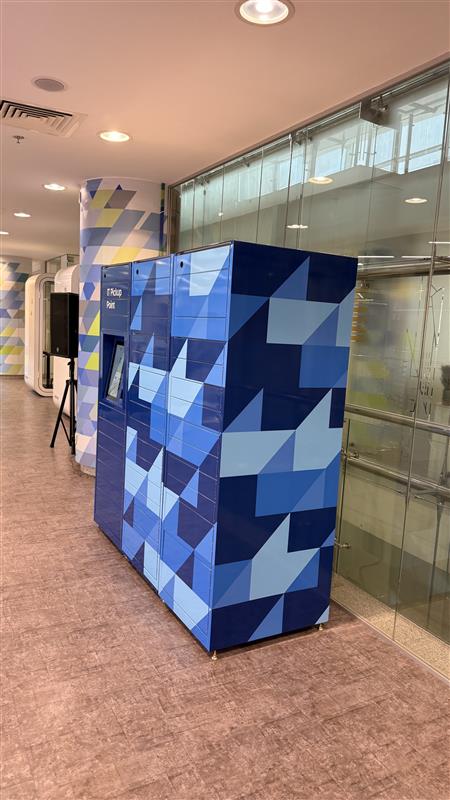
IT Pickup Point: How Smart Lockers Are Transforming Enterprise IT Asset Distribution
The final step in enterprise IT asset distribution has always been the weakest. Procurement is automated. Approval workflows are digital. Asset records live in the ERP. And then — a human IT engineer physically hands a device to an employee, records it on a sign-out sheet, and files it in a shared folder somewhere.
That last step is where audit trails disappear, where scheduling creates delays, and where IT staff time gets consumed by tasks that should not require them.
We solved this by deploying a Signifi Digital Storage Locker as an IT Pickup Point in our office. Here's what changed.
The Problem: Manual Handoff in an Otherwise Automated Process
Our device distribution workflow was well-designed up to a point:
- Employee raises a device request via SAP Ariba
- IT Manager approves the request
- CLEA lifecycle app creates an on-boarding task assigned to IT
- IT engineer retrieves the device from the storage room
- IT engineer schedules a meeting with the employee to hand it over
- Both parties sign a handover document
- IT engineer updates the asset record in the enterprise asset management system
Steps 1–4 and 7 were essentially automated or near-automated. Step 5 was a calendar problem. Step 6 was a paper problem. Step 7 was a follow-up problem.
For 20 devices a month, this was manageable. At scale — new hire waves, office expansions, refresh cycles — it became the bottleneck.
The Solution: Signifi Digital Storage Locker as IT Pickup Point
The Signifi Digital Storage Locker is a modular smart locker system with a touch screen interface, configurable compartments, and SignifiVISION enterprise software managing every aspect of access and tracking.
We deployed it in the office lobby, branded as "IT Pickup Point" — a visible, accessible location where employees can collect approved IT hardware at any time, without scheduling and without waiting for an IT engineer.
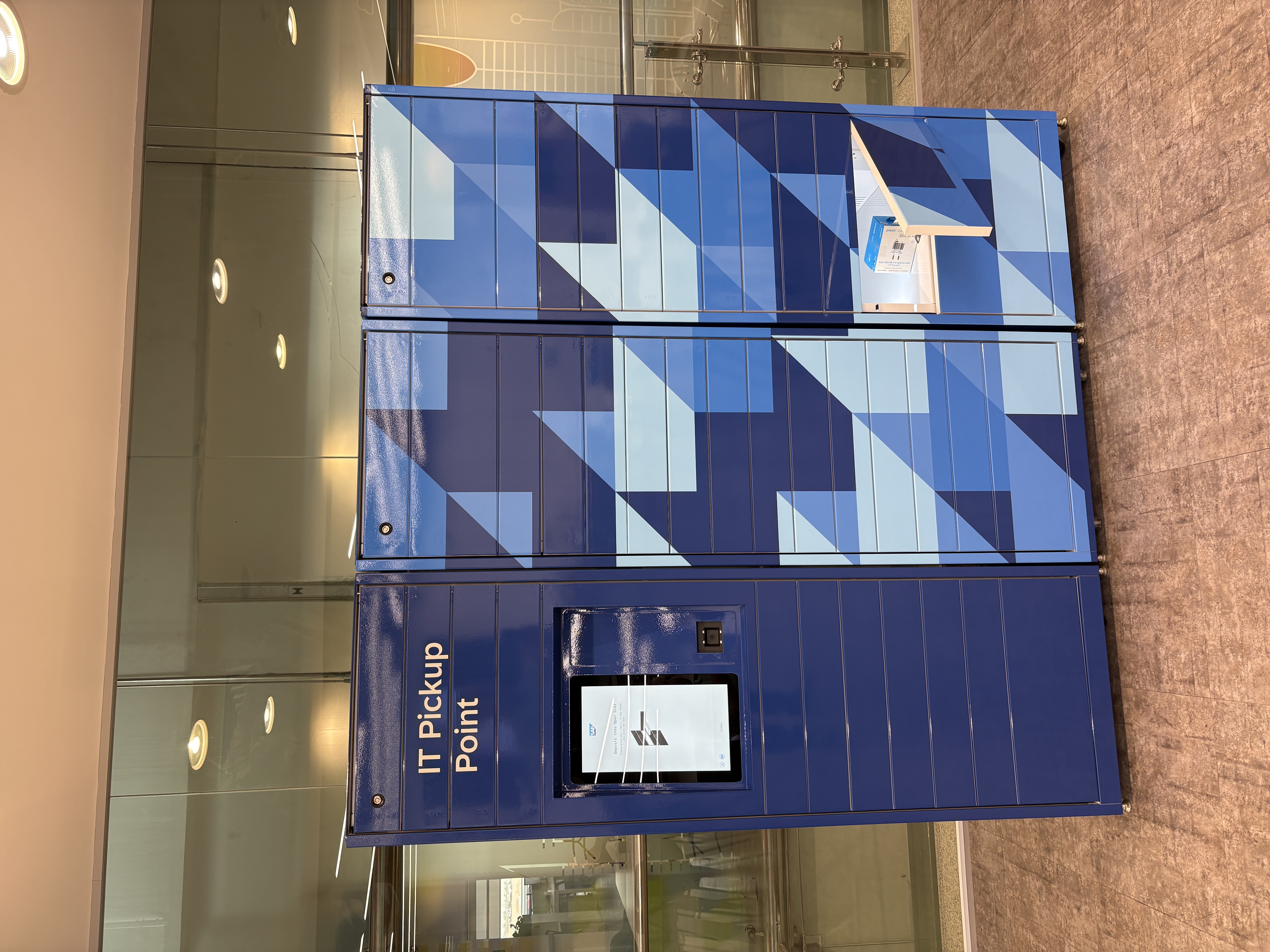
How the End-to-End Workflow Works
Before (manual):
SAP Ariba approval → IT retrieves device → schedules handover meeting → physical sign-out → enterprise asset management system update
After (automated with smart locker):
SAP Ariba approval → IT loads device into locker compartment → SignifiVISION sends employee notification → employee authenticates at locker → collects device → CLEA/enterprise asset management system record updated automatically
The IT engineer's role shifts from "appointment maker and device handler" to "stock manager" — they load the locker when orders are ready, and the system handles everything else.
What Signifi Digital Lockers Actually Do
The Signifi system is purpose-built for IT asset management (ITAM) and what the industry calls BOPIS (Buy Online, Pick Up In Store) — but applied to enterprise IT.
Hardware capabilities:
- Modular, customisable compartment sizes — small (phones, accessories), medium (tablets, iPads), large (laptops, MacBooks)
- Touch screen interface with multiple authentication methods: PIN, QR code, badge tap, biometric
- Powered compartments available — devices can charge while waiting for collection
- Indoor and outdoor rated configurations
- Optional UV light sanitisation for shared devices
SignifiVISION software:
- Real-time locker status dashboard — compartment occupancy, access events, alerts
- Centralised management of multiple lockers across multiple locations from a single portal
- Personalized alerts: item not collected after defined hours, compartment full, access failure
- Audit log: every event — user identity, timestamp, compartment, asset — stored and retrievable
- 85+ API integrations for connection to enterprise asset management systems, ServiceNow, MDM tools, and HR systems
At scale: Signifi processes 350+ million transactions annually across 45+ countries with 2.2+ million daily users. The platform is proven at enterprise scale.
The Compliance Case: Why Digital Beats Paper
Digital lockers replace the weakest link in asset distribution — the sign-out sheet. An authenticated digital record is the only audit trail that survives a compliance review.
With a smart locker:
- Every access event is tied to an authenticated user (employee ID, badge, PIN)
- Timestamp, compartment number, and asset details are logged automatically
- The record is immutable — stored in SignifiVISION, not in a shared Excel file
- Return events are logged the same way — deposit triggers a ticket, not a memory
For organisations where asset accountability matters — enterprise IT, healthcare, banking, government — this is not a convenience feature. It is the compliance control that manual processes simply cannot provide.
What Changed After Deployment
For employees:
- No scheduling required — collect hardware on arrival at the office
- Notification arrives when the device is loaded — clear instructions, no guesswork
- 24/7 availability — not limited to IT team working hours
For the IT team:
- Manual handover appointments eliminated for standard orders
- IT staff time reallocated from device delivery to higher-value tasks
- Asset record updates happen automatically — no follow-up required
- Audit trail is complete without any manual data entry
For management:
- Real-time visibility: how many devices are in the locker, how long they've been there, who collected what
- Compliance reporting available on demand from SignifiVISION
- No gaps in the asset audit trail from procurement to user assignment
Three Things That Made the Deployment Successful
1. Placement drives adoption more than technology. We put the locker in the lobby, not the IT room. Visibility and accessibility are the two factors that determine whether employees use a self-service system. A locker in the IT room is still IT-dependent — you need to find someone to let you in.
2. The notification message is the user experience. Employees don't think about the locker until they receive the notification. That message needs to contain exactly what they need: where the locker is, how to authenticate, what to do if something goes wrong. We refined this message twice before collection rates reached target.
3. Integration removes the last manual step. Without integration, someone still has to update the asset record after collection. With CLEA and enterprise asset management system integration, the collection event triggers the record update automatically. The locker only delivers its full value when it's connected to the asset management system — not running as a standalone appliance.
Deployment Readiness: 11 Things to Verify Before Installation
Signifi provides a deployment readiness checklist that must be completed before the installation team arrives. Key items:
- Site access permits and COI approved for third-party equipment
- Delivery path clear and elevator/dock booked
- Power outlet confirmed at placement location
- MAC address whitelisted with your IT/network team
- LAN port available and IP address assigned
- IT team member on standby during installation
Cost of getting this wrong: Aborting installation after the technician is on-site costs 00. Short-notice cancellation (under 24 hours) costs 50. Extended troubleshooting beyond 15 minutes is billed at 50/hour. Completing the checklist properly avoids all of these.
30-day warranty: Signifi covers all early-life failures and workmanship faults at no cost within 30 days of deployment.
Daily Operations: The Delivery Status Lifecycle
Every item managed through the locker system goes through a clear status progression:
7-day rule: Items uncollected after 7 days are moved from the locker to the IT Link Center (ITLC) to free compartment space. A new ITLC pickup record is created and the employee is re-notified.
Emergency key: A physical emergency key is held by the IT team. It opens all doors in a locker set simultaneously — used when a compartment is stuck or an item was placed in the wrong slot. This does not reset any app records.
Powered by Signifi
The system deployed at our IT Link Center is powered by Signifi — a global leader in intelligent digital storage locker solutions for ITAM, retail, and enterprise environments.
Learn more at signifi.com
Syed Waqas Tayyab is a Senior IT System Engineer and IT Consultant at SAP Saudi Arabia. He has deployed and operates the IT Pickup Point as part of the IT Link Center infrastructure in Riyadh. 15+ years enterprise IT · Azure Security Certified · MENA region.